
|
Written by: Katelyn Gray |
This feature requires at least one Client Engagement seat. View plans and pricing here. |

Searching for contacts by keyword
1. In the left sidebar menu, go to . Contact Manager
2. Click the search bar at the top of the Contact Manager page.
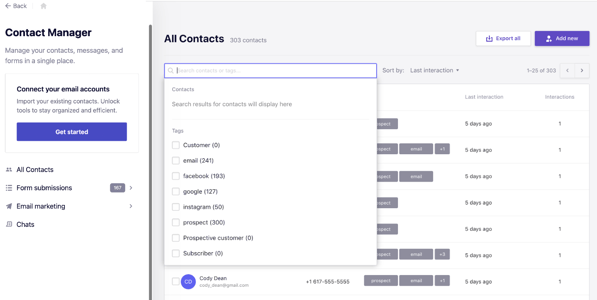
3. Enter a name, email address, phone number, or other contact detail.
4. Press Enter or Return key to view matching results.
Searching for contacts by tag
1. From the Contact Manager page, click the search bar.
2. Select a tag from the dropdown menu.
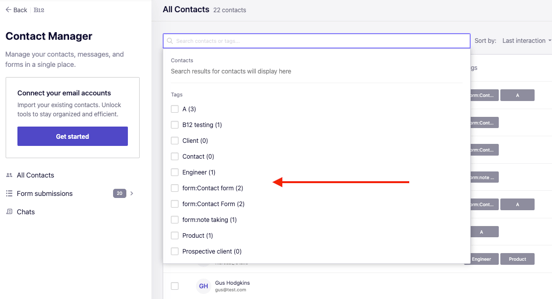
3. View the list of contacts associated with the selected tag.
Reviewing contact details
1. Click a contact’s name from the results list.
2. Review the contact’s basic information, past interactions, and assigned tags. Edit or update the contact’s details as needed.
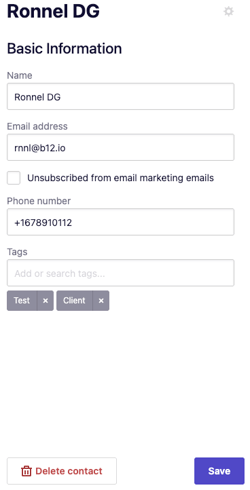
3. Click Save.