
|
Written by: Meredith Last updated: 20 May, 2026 |
|
This feature is currently available only to users located in the United States. |

Invoice export lets you create a CSV file containing invoicing and payment details, formatted for easy sharing with your accountant or bookkeeper.
Exporting invoices
1. In the left sidebar menu, click  Commerce
2. To download all invoices to a CSV file, click Export all.
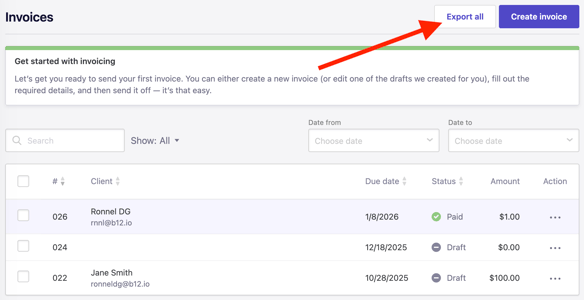
To export a specific set of invoices:
-
Use the search bar or filters to narrow results by keyword, invoice type, or date.

-
Select invoices using the checkboxes in the first column.
-
Click
Export.
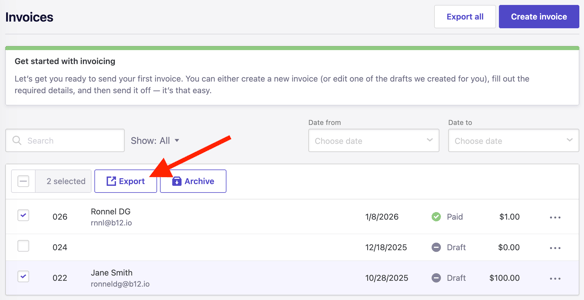
The CSV file downloads to your device and can be shared with your accountant or bookkeeper.
If you use QuickBooks, follow their instructions for importing a CSV file to complete the process.