
|
Written by: Jay Douglas Last updated: 16 Oct., 2026 |

Logging out of your B12 editor only takes a few clicks.
Logging out from the editor
1. Click the  logo on the upper-left corner of the editor.
.png?width=250&height=250&name=Untitled%20design%20(10).png)
2. Click Log out.
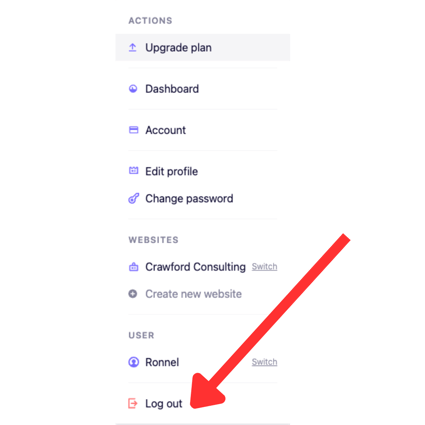
Note: If you can't open the account menu, go to the B12 sign-out page and click Log out.