
|
Written by: Katelyn Gray Last updated: 07 Jan., 2026 |
|
This feature requires at least one Client Engagement seat. View plans and pricing here. |

Email drafts let you save messages you are still working on so you can come back to them later. You can view, edit, duplicate, or delete drafts directly from the Email Marketing section of the editor.
Managing email drafts
1. In the left sidebar menu, go to  Email marketing
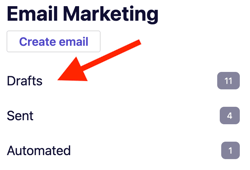
2. Click Drafts.
3. Hover over the draft you want to manage. Choose one of the following actions:
-
Click the pencil icon

-
Click the duplicate icon

-
Click the trash icon


4. Confirm the action if prompted.