|
Last Updated: 15 Apr., 2025 |

A podcast is a series of audio or video episodes distributed over the internet. It's like an on-demand radio show, often focused on specific topics. By embedding a podcast player on your B12 website, you provide a convenient way for your audience to access and enjoy your content.
Important: Make sure you have copied the embed code from your podcast provider. If you are using RSS, here is the link on how to find your embed code. If you are on Spotify, click this link.
Adding a podcast to your B12 website
1. In the left sidebar menu, go to  Website
 Pages
Pages
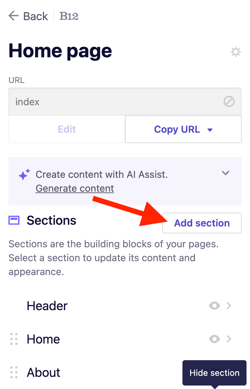
2. Select the page where you want to add your embedded content. Click Add section.
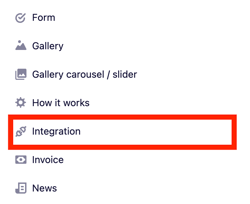
3. From the list of section types, click Integration.
4. Select your podcast provider.
5. Paste your embed code into the code box.
6. Click Add integration.
7. Click Publish to update your live website.
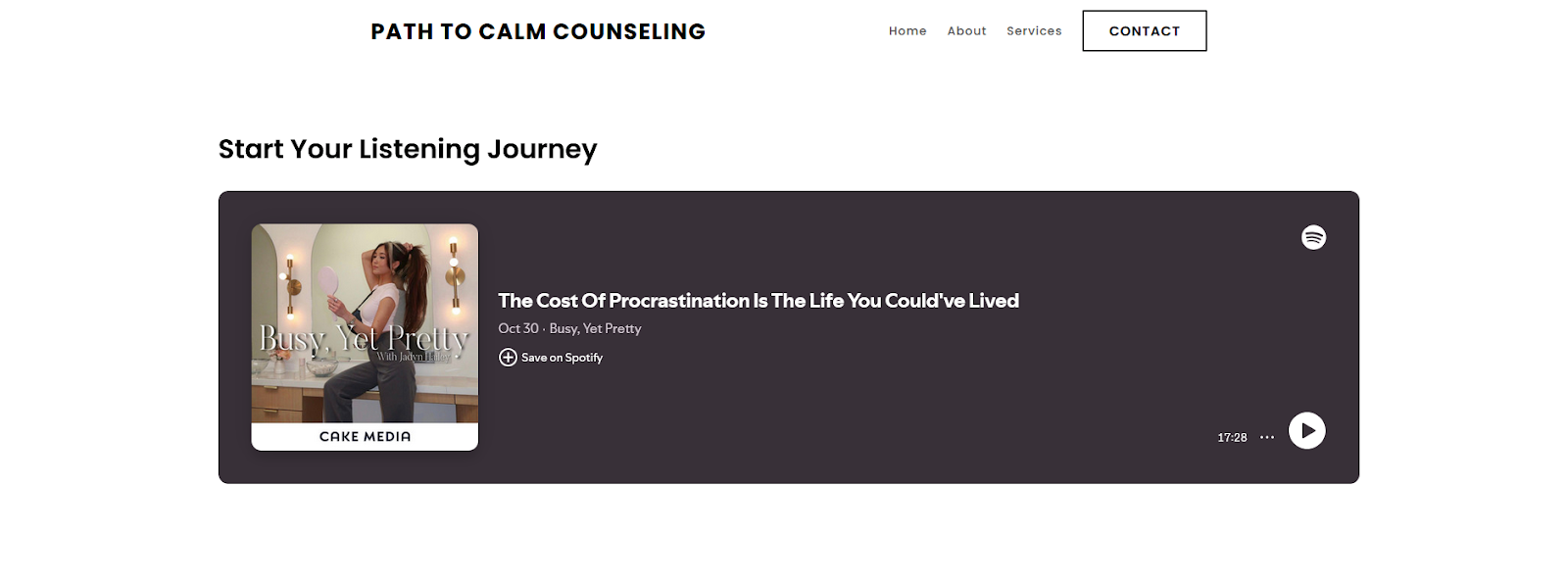
This is a visual example of how your webpage might appear post-integration: