
 Written by:Jay Douglas
Last updated: 22 Apr., 2026
|
Linking to your social media profiles from your website sends visitors away before they take action. Embedding a social media feed keeps your content visible on your site, so visitors can engage without leaving. This article explains how to use SnapWidget — a free tool — to generate an embed code for your social media feed and add it to your B12 website.
Adding Snapwidget
1. Make sure you have your embed code from your Snapwidget dashboard. For help finding it, refer to Snapwidget's documentation.
2. In the left sidebar menu, go to  Website
 Pages
Pages
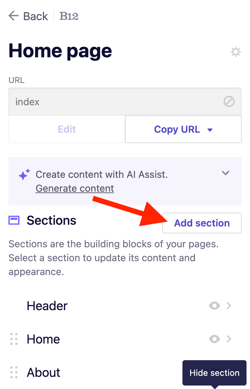
3. Select the page where you want to add your embedded content. Click Add section.
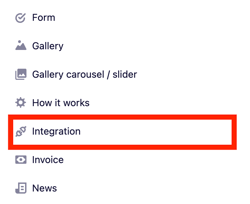
4. From the list of section types, click Integration.
5. Select HTML.
6. Paste your embed code into the code box.
7. Click Add integration.
8. Click Publish to update your live website.