
|
Written by: Madeline B. Last updated 30th June 2025 |

If you're working on a draft page or want to create a landing page that isn’t listed in your website’s top navigation, you can easily hide it by removing the page link from your site’s header navigation.
Removing a navigation link
1. In the left sidebar menu, click  Website
 Pages
Pages
2. Click into your website's Header section.
3. Scroll to Navigation links.
4. Select the navigation item you'd like to remove.
5. Click Actions.
6. Click the Delete icon.
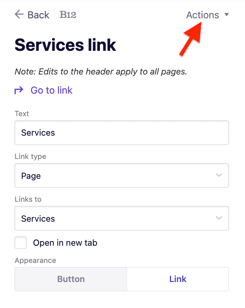
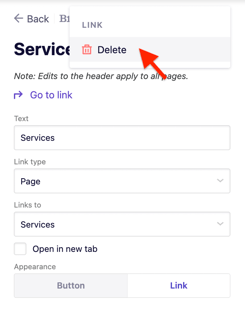
7. When prompted, select Ok to confirm the deletion
Note: This only removes the link from your navigation. The page itself still exists and can be accessed directly via its URL.
8. Click Publish to make the update live on your website.