
|
Written by: Jay Douglas Last updated: 23 Apr., 2026 |

In website terms, a home page, or homepage, is the main page on your website. It is also typically the first page visitors will see when they arrive. Whenever a B12 website is generated, we add a page called Home to the site and automatically set it to be the homepage.
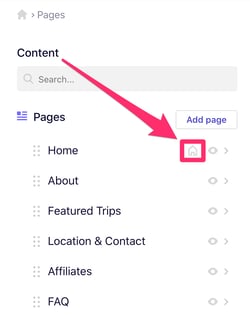
You can tell which page of your site is set as the homepage by looking for the house icon in the Pages list.
Setting homepage
-
In the left sidebar menu, go to
 Website
 Pages
Pages -
Click the page you want to set as your homepage
-
Click the gear icon

-
Click
Set as homepage.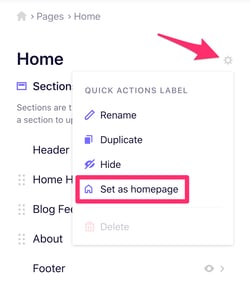
-
Click
Publishin the upper right corner