
|
Written by: Jay Douglas Last updated: 16 Oct., 2026 |

1. Log in to your B12 website editor.
If you can't remember your password, click here to request a password reset email.
2. At the top of the left sidebar menu, click the 
.png?width=250&height=250&name=Untitled%20design%20(10).png)
3. Click Profile.
4. Update your information, including your:
-
Name
-
Phone number
-
Email address
-
Business name and category
Important: This is the information that B12 uses to contact you and identify your account. Changing your email address will also change your B12 account login. To hand your account to someone else, see Changing account ownership of your B12 account.
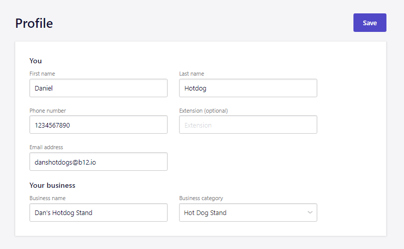
5. Click Save to update your changes.